CloudFront KeyValueStore
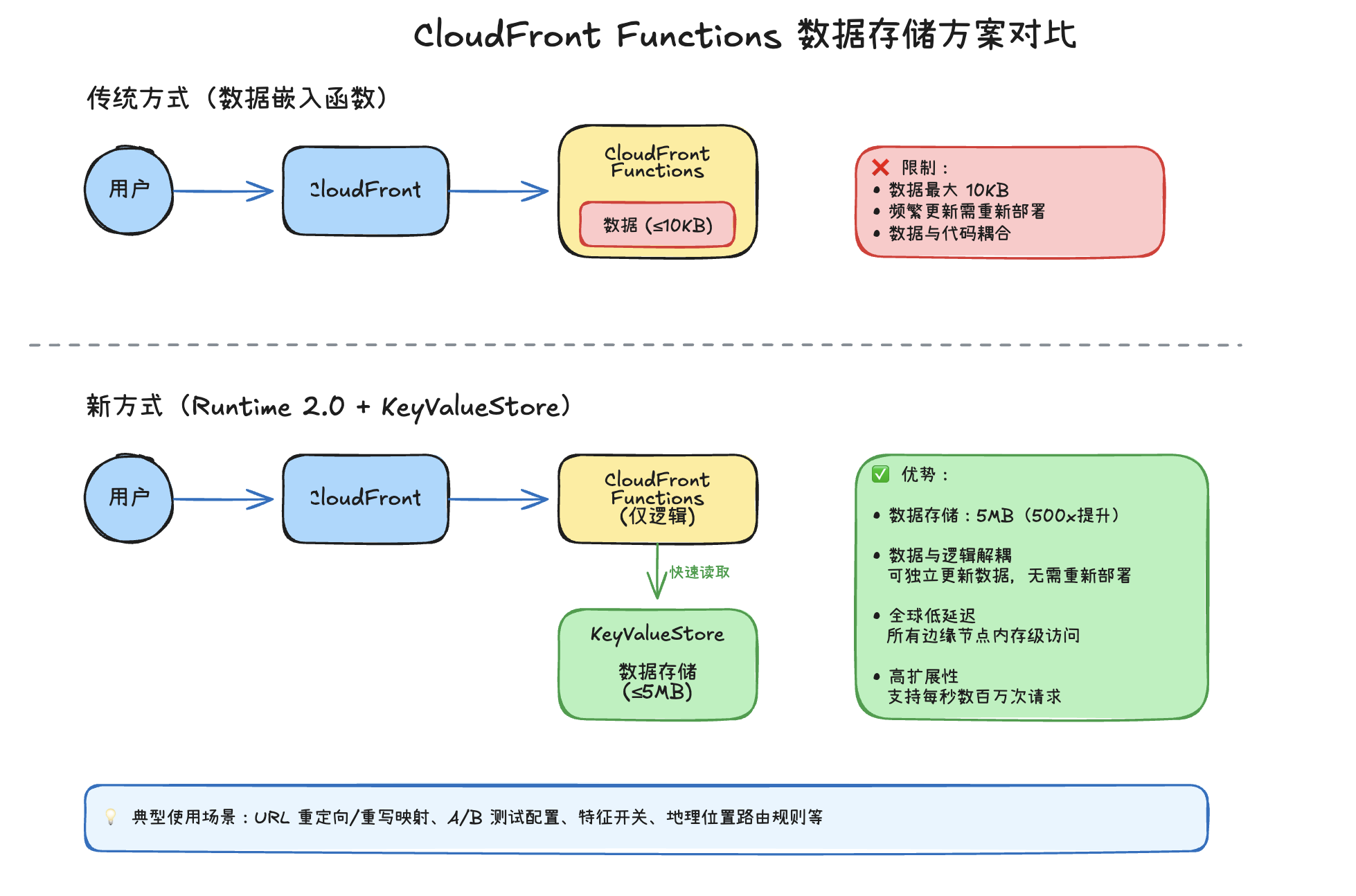
我们可以在 CloudFront Functions 中存储持久性数据。典型的使用案例通常是重定向和重写映射,其中原始请求 URI 被覆盖为另一个。虽然我们的函数可以支持存储持久性数据,但在以下场景中并不理想:
- 我们需要频繁更新该数据
- 数据超过函数的最大大小(目前为 10KB)
随着 CloudFront Functions JavaScript runtime 2.0 的出现,我们现在可以利用 Amazon CloudFront KeyValueStore ,这是一个全球性的、低延迟的键值数据存储。它通过以下方式解决了上述两点的限制:
- 将数据与逻辑解耦,从而使我们能够在不修改代码的情况下频繁进行更改
- 为我们的持久性数据提供额外 5MB 的存储空间
它在所有 CloudFront 边缘节点上均可使用,并提供高效的内存键值存储,可从 CloudFront Functions 内部快速读取。这使得 CloudFront KeyValueStore 能够轻松扩展以处理每秒数百万次请求,而无需扩展存储资源。
使用KeyValueStore编写CloudFront Functions
我们将在上一节的基础上进行扩展,将CloudFront Function扩展为从KeyValueStore中存储的键/值进行重定向。这是一个很好的选择,可以避免将值直接硬编码到CloudFront Function中,因为每次需要更新时都需要修改代码!我们将进行以下行为重定向:
| 键 | 值 |
|---|---|
| /catalog/spices/ | https://aws.amazon.com/cloudfront/ |
| /catalog/tea/ | https://docs.aws.amazon.com/AmazonCloudFront/latest/DeveloperGuide/cloudfront-functions.html |
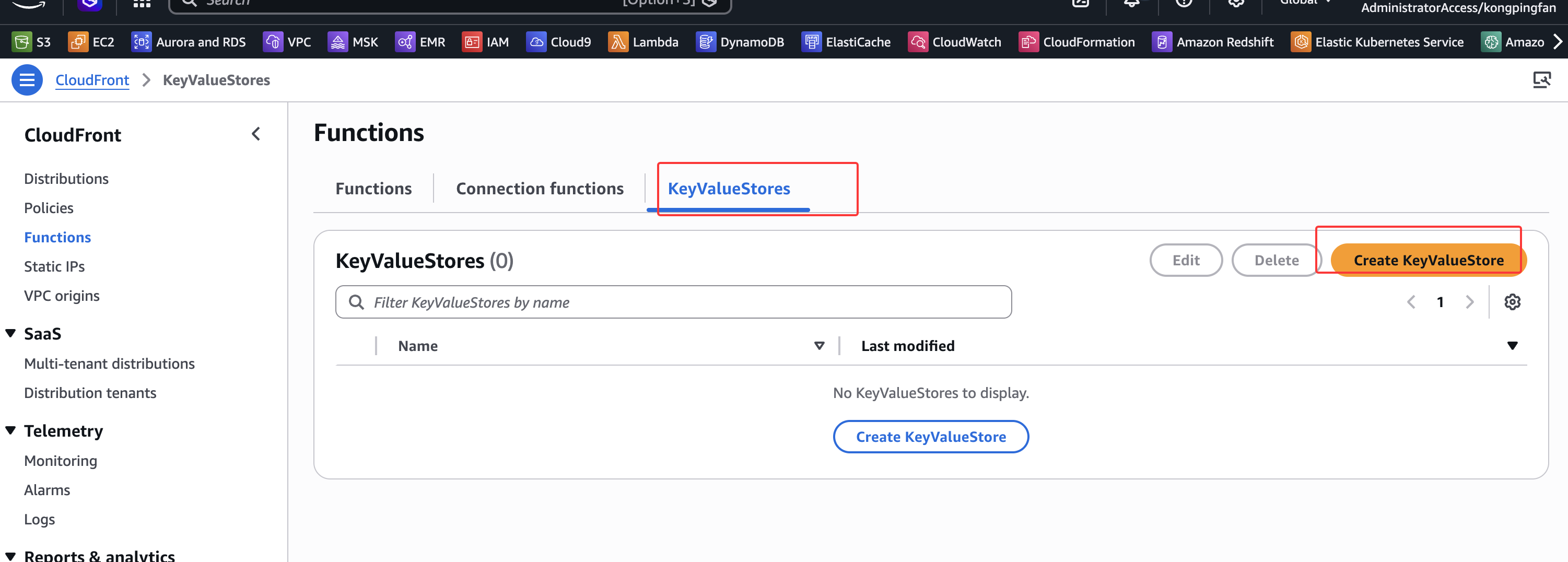
从导航到KeyValueStore
开始,然后点击Create KeyValueStore:
创建KeyValueStore时,有几个不同的配置选项,例如名称、描述和S3 URI:
将KeyValueStore命名为redirect-data。我们不会使用其他选项,但它们允许以下操作:
Description- 我们可以为KeyValueStore设置描述S3 URI- 创建新的KeyValueStore时,我们可以从S3 Bucket预加载数据到KeyValueStore中。请参阅文档 了解更多信息。
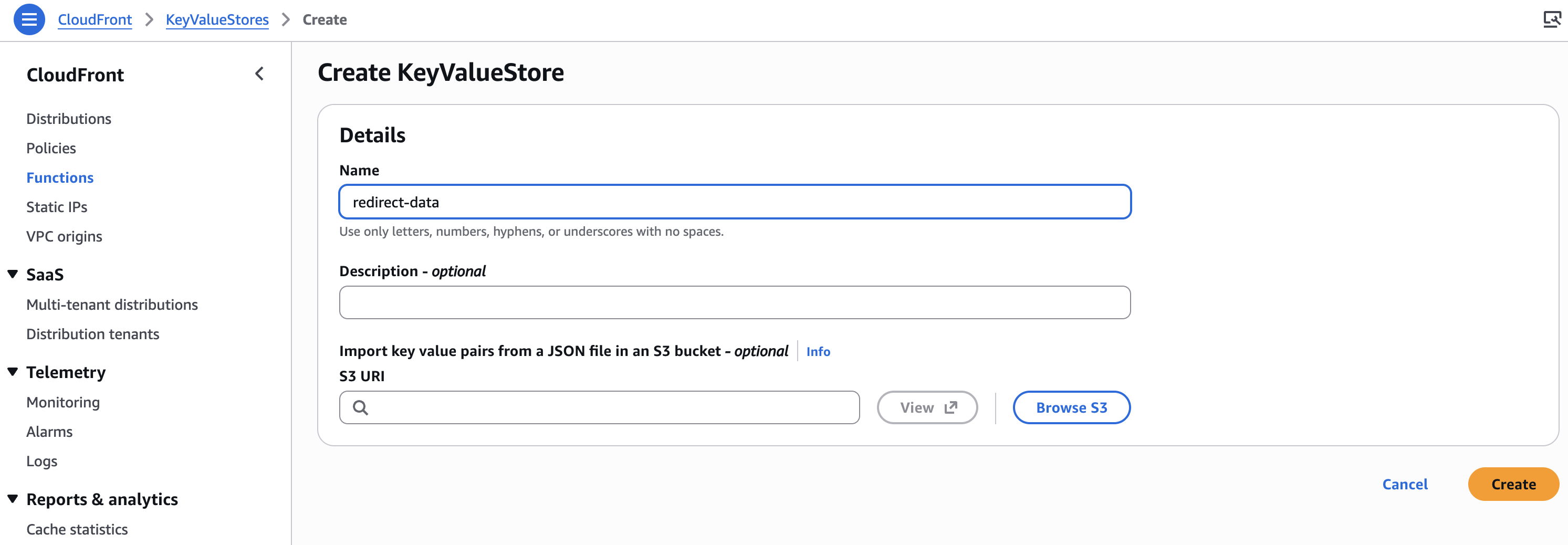
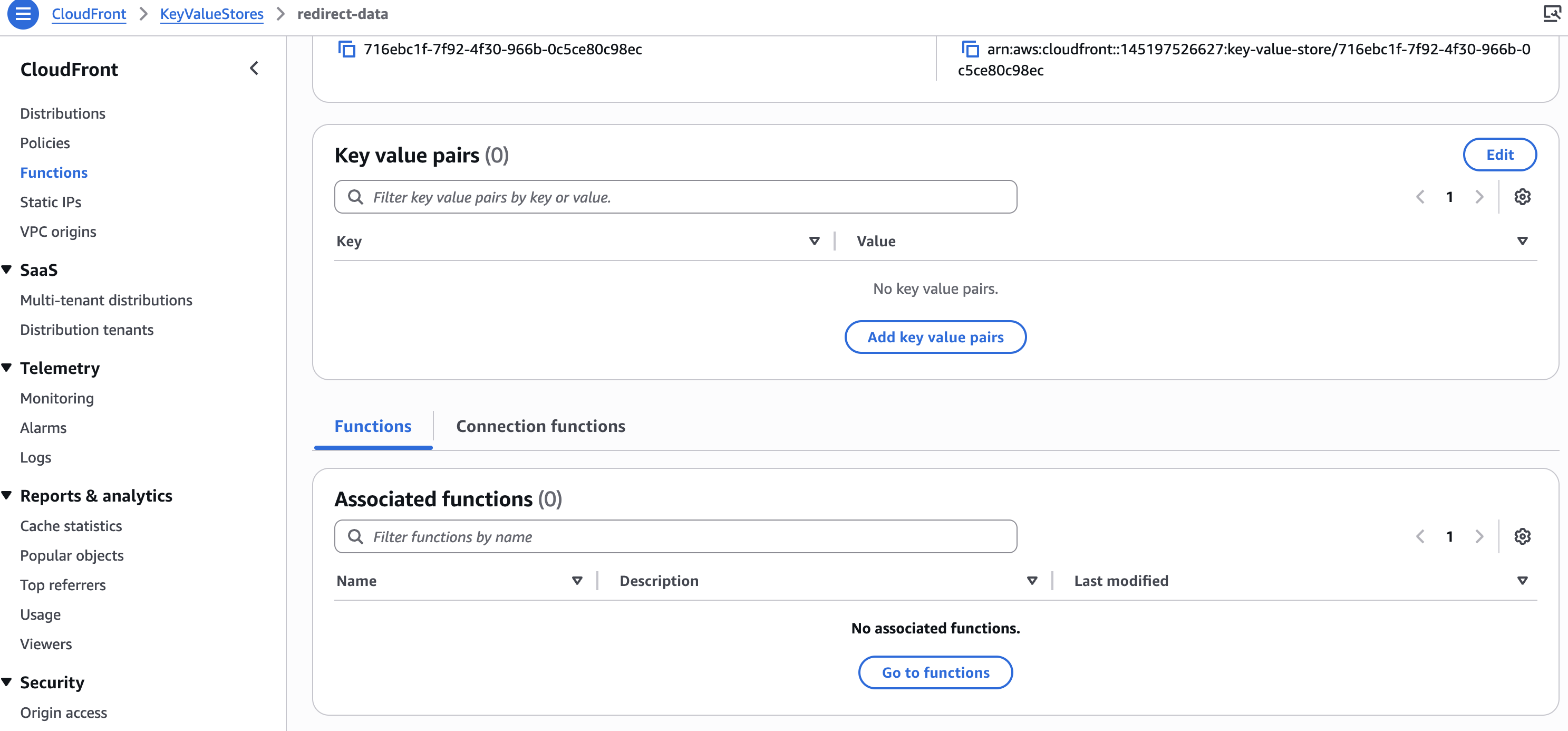
命名KeyValueStore后,按"create"按钮,我们将被重定向到新创建的KeyValueStore。等待它创建完成:
将KeyValueStore与CloudFront Function关联
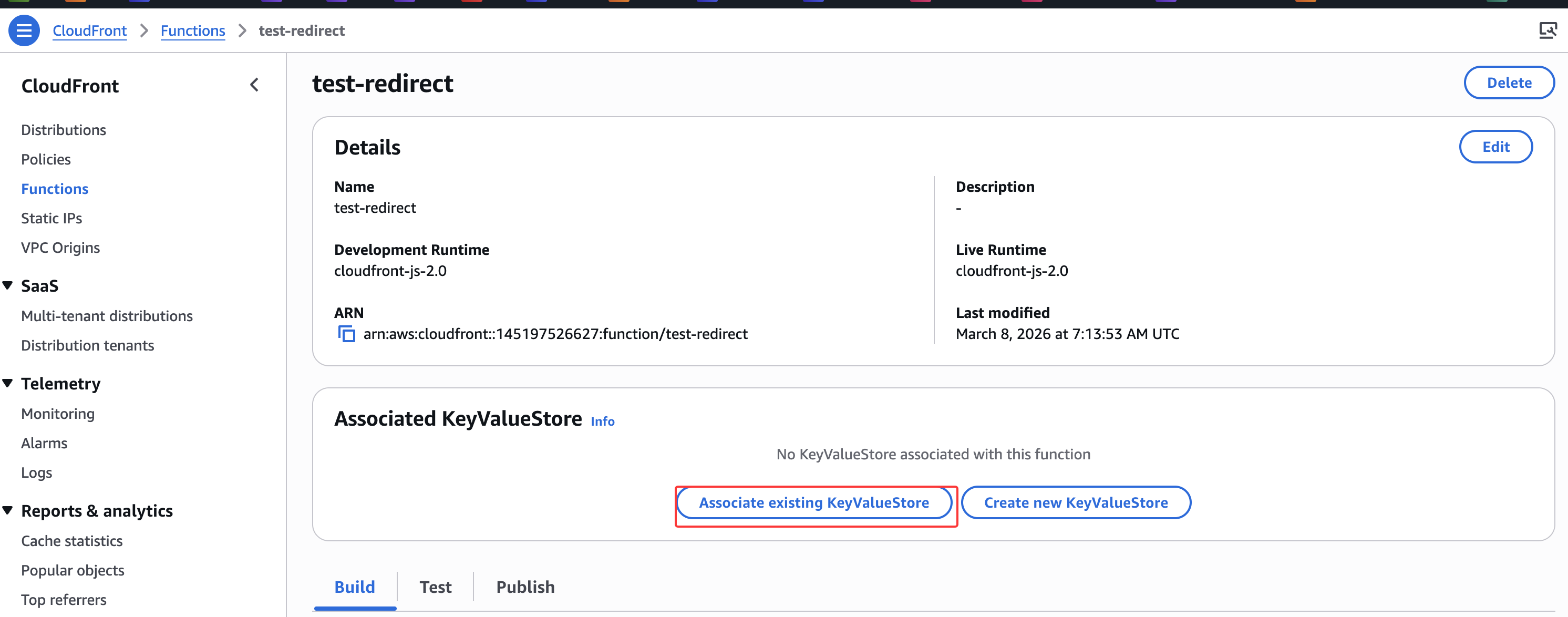
进入上一节创建的Function, CloudFront Functions和KeyValueStore之间需要建立关联:
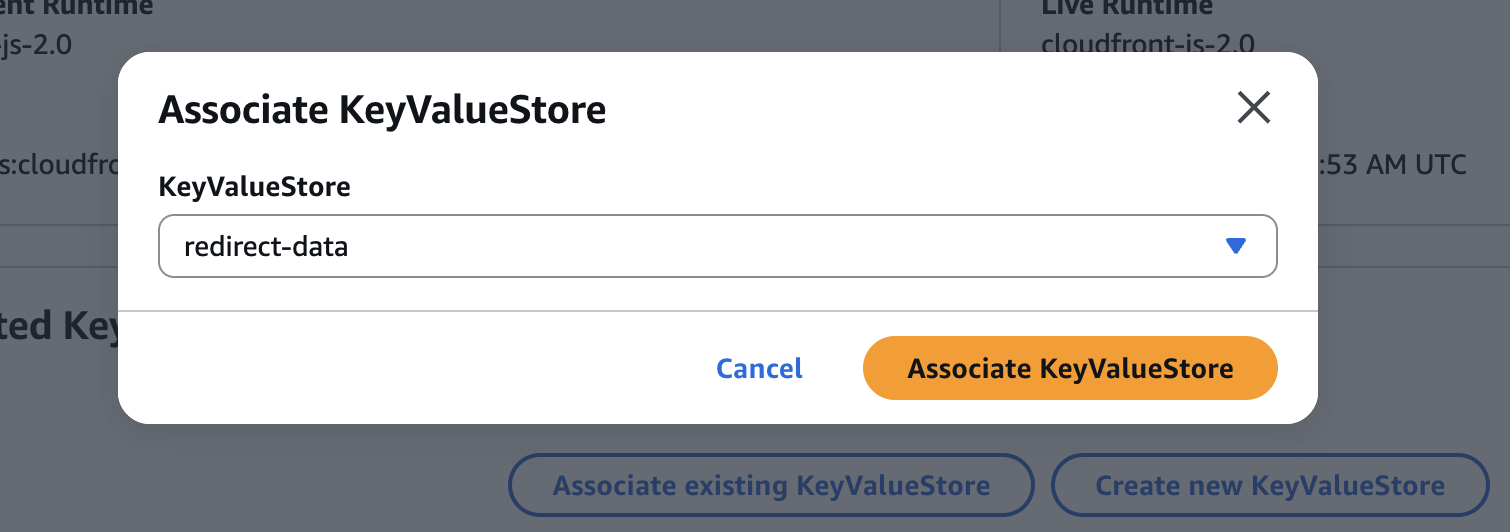
我们将看到一个下拉菜单,确保选择在上一步中创建的KVS名称
更新CloudFront Function代码
以下是我们CloudFront Function的代码要求:
- 该函数将在用户请求时被调用,它能够读取URI路径
- 然后检查该路径是否作为键存在于KVS中
- 如果URI作为键存在,则获取其值并将其用作302重定向的位置
- 如果URI不作为键存在,则继续提供原始请求的URI
更新Function代码如下:
import cf from 'cloudfront';

// Declare the KeyValueStore handle object
const kvsHandle = cf.kvs();

async function handler(event) {
    const request = event.request;
    const uri = request.uri;

    try {
        // Lookup the URI in the KeyValueStore
        const redirectUri = await kvsHandle.get(uri);

        if (redirectUri) {
            // If a match is found, redirect to the value from the KeyValueStore with a 302 HTTP response code
            const response = {
                statusCode: 302,
                statusDescription: 'Found',
                headers: {
                    location: {
                        value: redirectUri,
                    },
                },
            };
            return response;
        }
    } catch (err) {
        // If the URI is not found in the KeyValueStore, proceed with the original request
        console.log(`${uri} | ${err}`);
    }

    return request;
}
注意"Save changes”。
向KeyValueStore添加数据
有3种方式可以将数据放入KeyValueStore。
- 通过控制台
- 通过CLI
- 通过AWS SDK
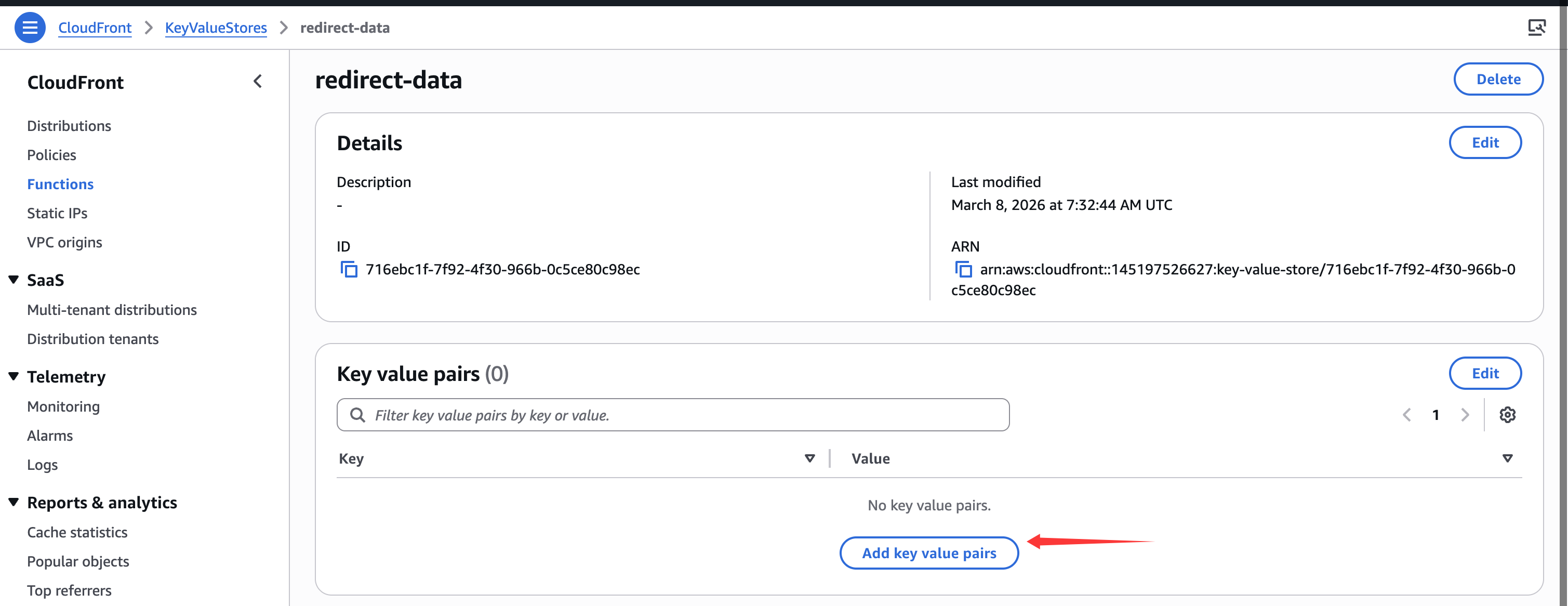
先通过控制台输入数据。首先,导航到KeyValueStore。看到一个添加键值对的按钮,如下所示:
按Add pair按钮:
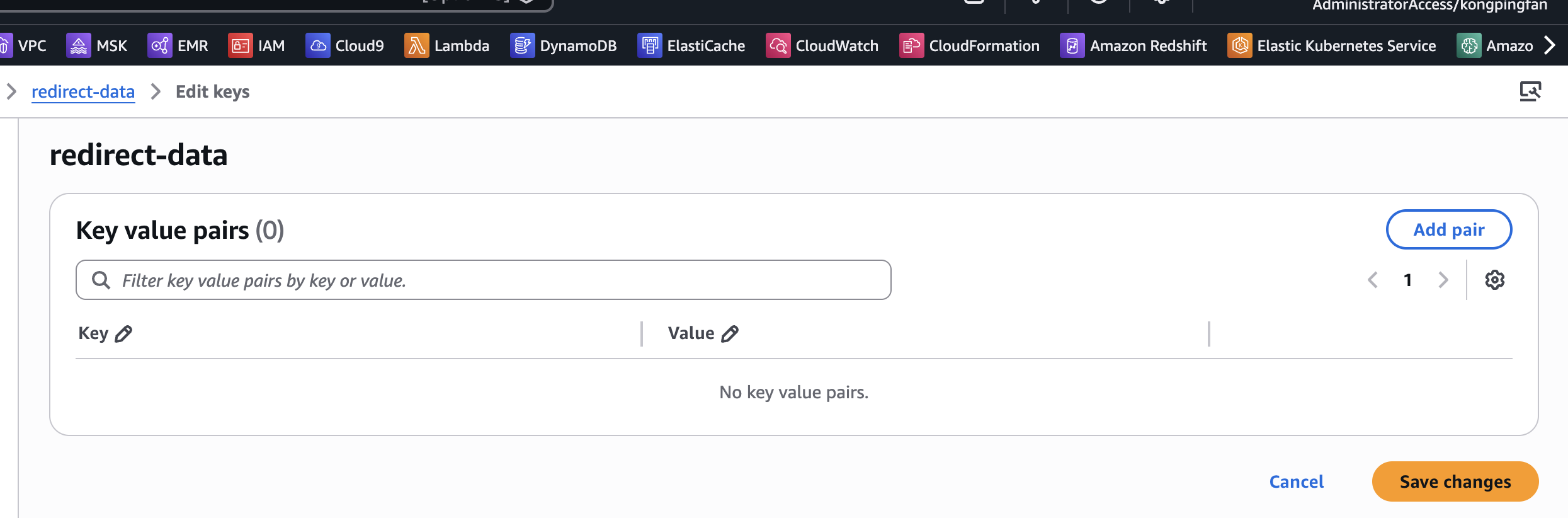
使用这两个:
| 键 | 值 |
|---|---|
| /catalog/spices/ | https://aws.amazon.com/cloudfront/ |
| /catalog/tea/ | https://docs.aws.amazon.com/AmazonCloudFront/latest/DeveloperGuide/cloudfront-functions.html |
更新完成后:
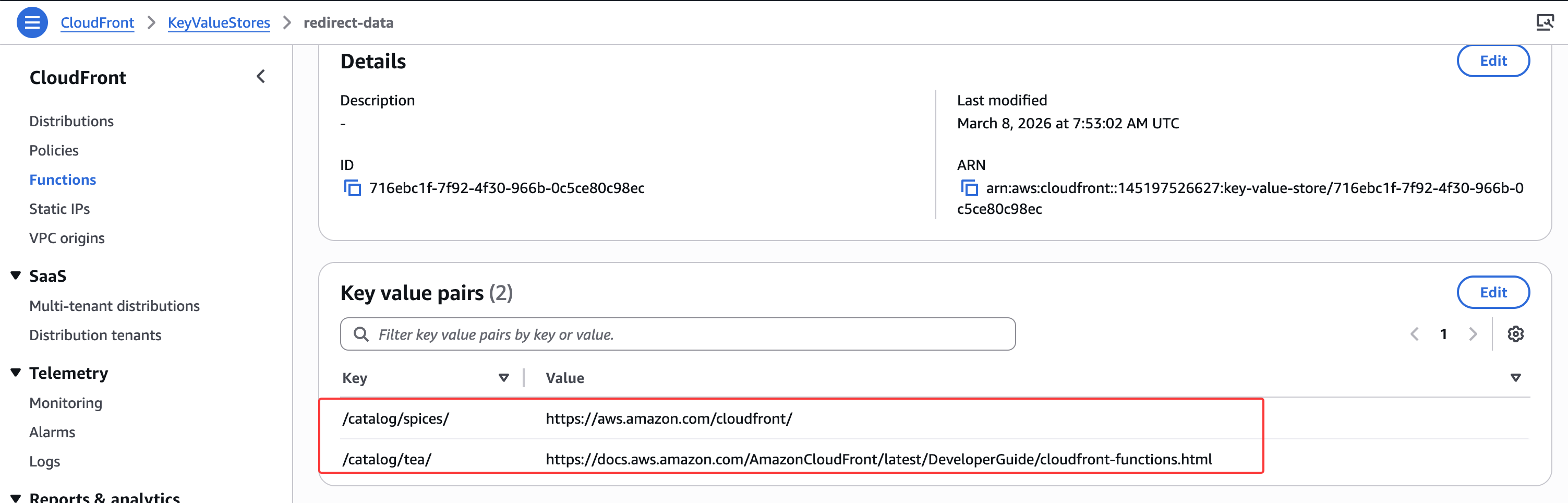
控制台测试
和上一节的步骤类似,进行测试:
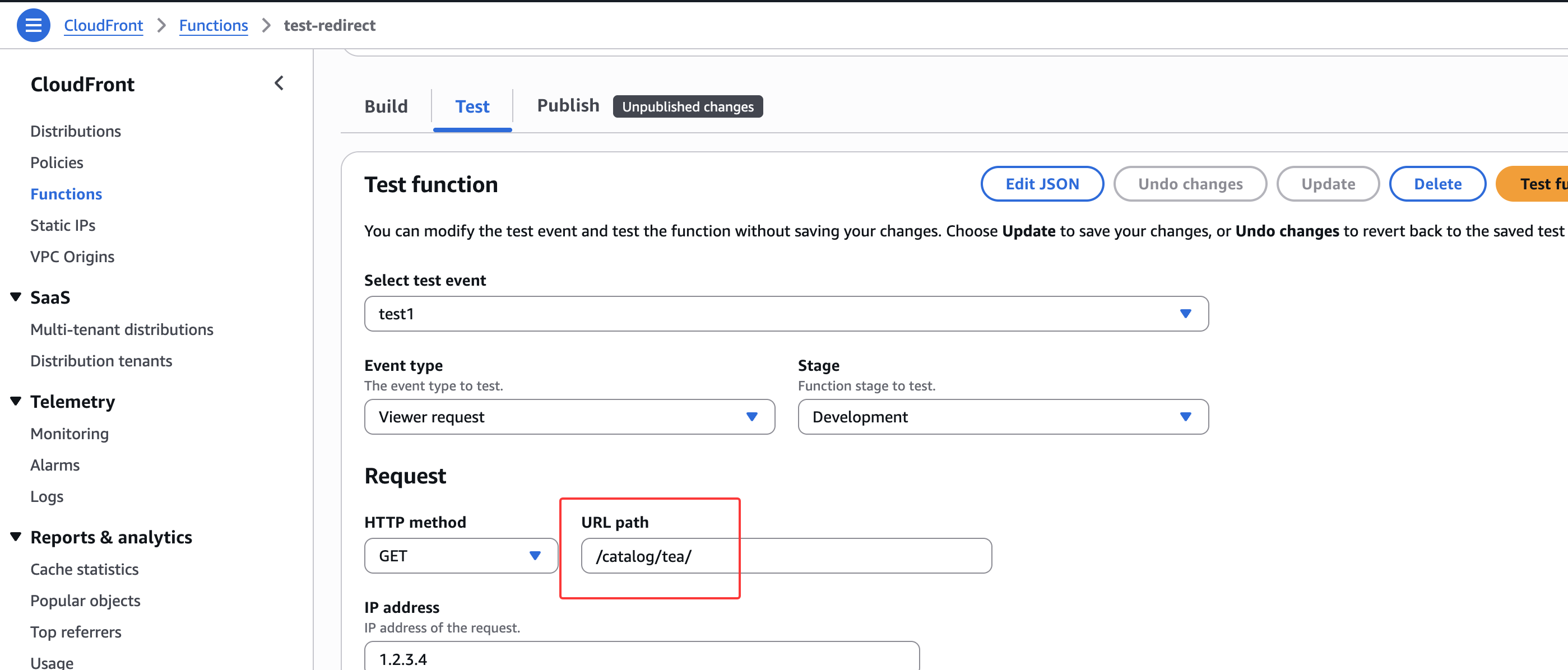
结果在下面显示:
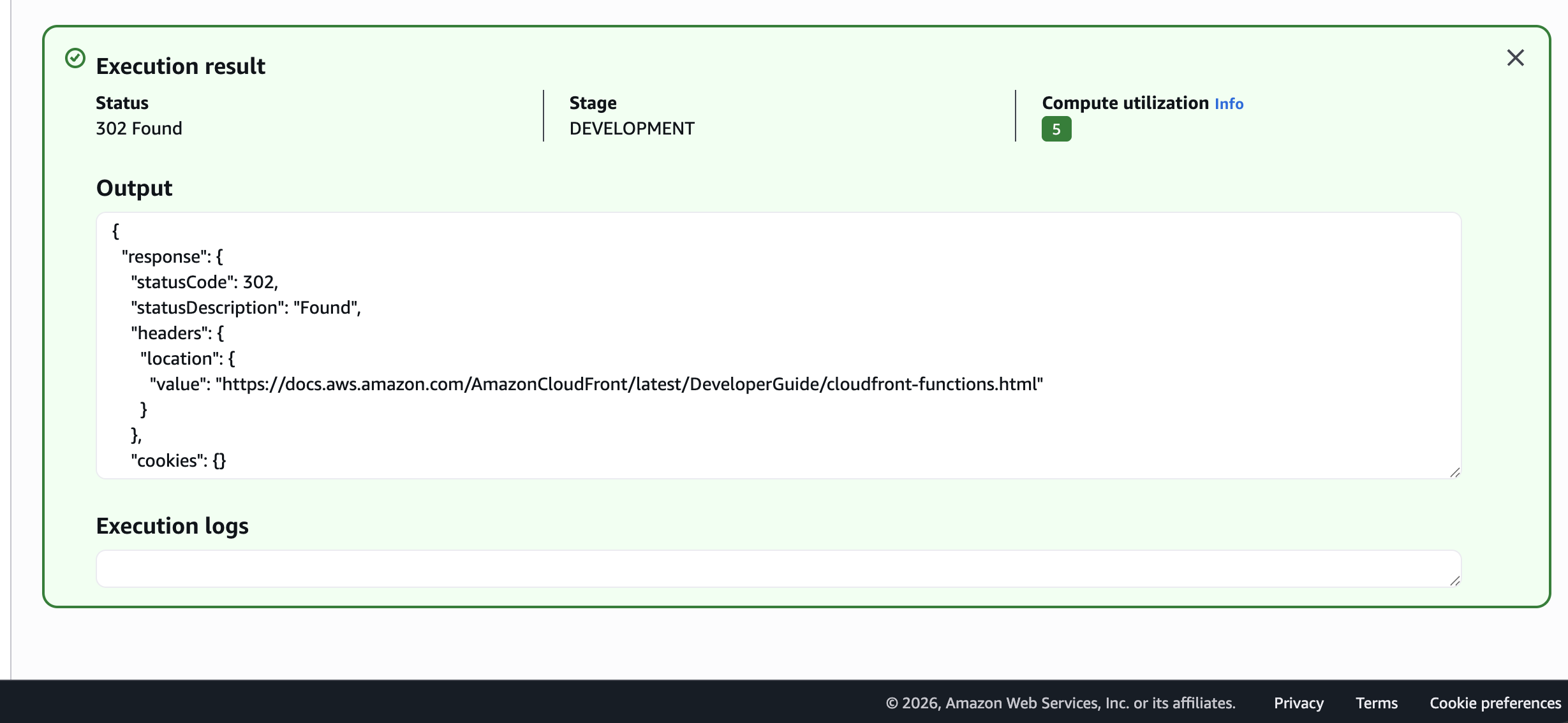
使用CloudFront Distribution的URL测试,也是类似的效果(注意要先public)
在Monitoring页面中,此时也能看到KVS相关的指标: